IconStash vs SVGRepo: Best Free SVG Icon Site?
SVGRepo offers 500K+ free vectors. IconStash offers 134K curated icons with verified licenses and developer exports. Volume vs. quality — which do you actually need?
What Each Site Actually Is
SVGRepo is a vector search engine that aggregates 500,000+ SVG files from across the web — icons, illustrations, logos, patterns, and decorative graphics. It's a broad, uncurated index. Think of it as the "Google Images of SVGs."
IconStash is a curated icon search engine that indexes 28 specific icon libraries (Lucide, Tabler, Phosphor, Material, etc.) containing 134,701 production-ready UI icons. Every icon shares consistent design DNA within its library. Think of it as a "specialized icon database with developer tooling."
The core question isn't "which has more SVGs?" — it's "which helps you ship a consistent product UI faster?"
Feature-by-Feature Comparison
| Feature | IconStash | SVGRepo |
|---|---|---|
| Total Vectors | 134,701 (icons only) | 500,000+ (mixed types) |
| Content Type | UI icons exclusively | Icons + illustrations + logos + patterns |
| Design Consistency | Same grid/stroke per library | Varies wildly per upload |
| License Verification | All MIT/Apache 2.0 (pre-verified) | Mixed — check each icon |
| Search Speed | Instant (pre-rendered + virtual scroll) | Server-rendered pagination |
| JSX / Code Export | One-click JSX, HTML, SVG code | SVG file download only |
| PNG Export | Up to 1024px | No |
| Batch Export | ZIP, sprite, CSS masks | One at a time |
| Live Customization | Stroke width, fill color, size | No |
| Cross-Library Matching | Same icon across 28 libraries | No |
| npm Integration | Install + import per icon | No |
| Collections | Named collections + export | No |
| Illustrations / Decorative | No | Large selection |
| Brand Logos | 3,714 (Simple Icons) | Thousands |
| Account Required | No | No |
| Price | Free | Free |
The Quality Problem with Volume
SVGRepo's 500K+ vectors sound impressive until you actually search for a UI icon. Here's what typically happens:
- Search "settings gear" — get 40 results, each on a different grid (16px, 24px, 32px, 64px)
- Stroke widths range from 1px to 4px across results
- Some are outline, some are filled, some are multi-color — no way to filter consistently
- Corner radii, optical alignment, and padding vary per icon
- License info is often a generic "Public Domain" tag with no link to the source repo
If you pick 10 icons from SVGRepo for your app's toolbar, they'll look like they came from 10 different designers — because they did.
On IconStash, every icon within a library (e.g., Lucide's 1,979 icons) shares the exact same 24px grid, 2px stroke, round caps, and optical alignment rules. Pick any 10 icons and they look like one family. That's the difference between an index and a curated system.
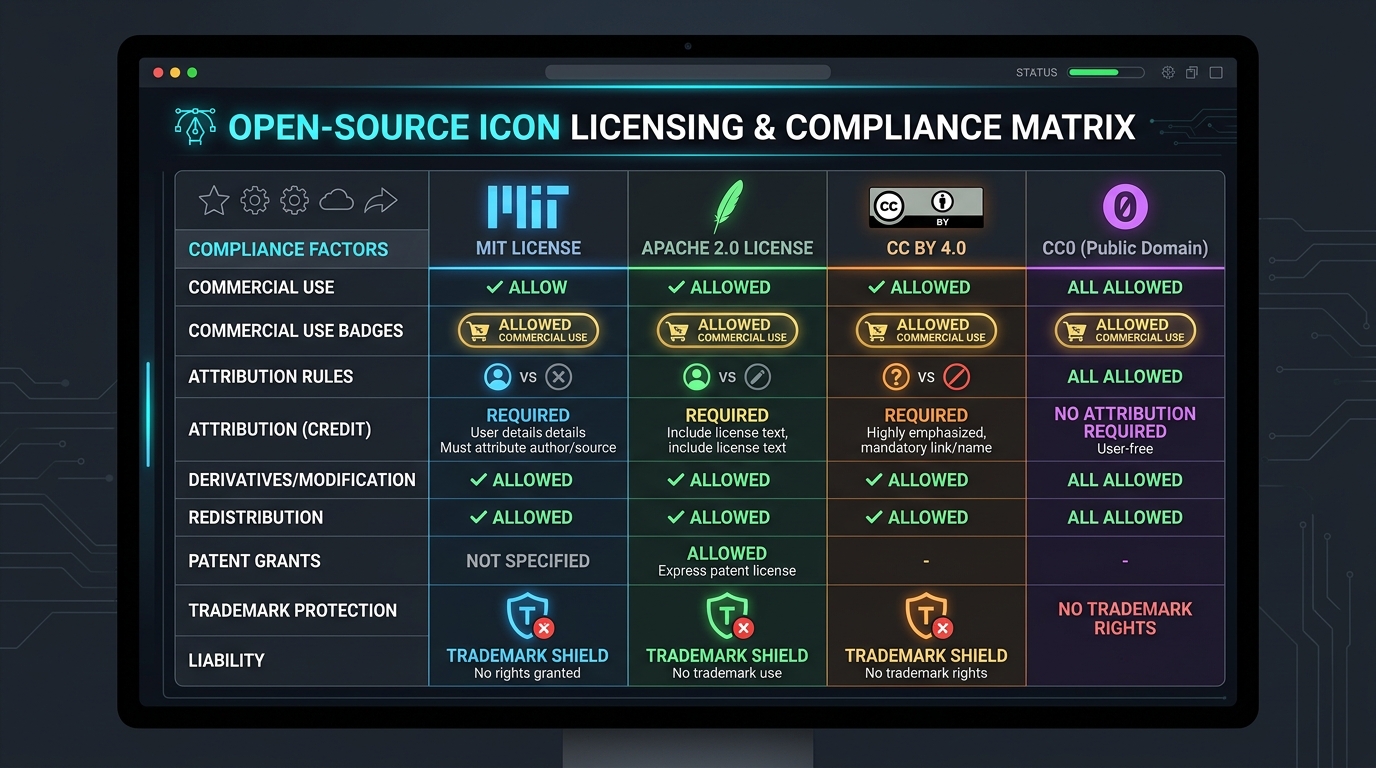
Licensing: The Hidden Risk
SVGRepo aggregates vectors from multiple sources with different licenses:
- Some are CC0 (public domain) — safe
- Some are CC BY — require attribution you might forget
- Some are "free for personal use" — not safe for commercial products
- Some have unclear provenance — scraped from who knows where
IconStash only indexes libraries with verified MIT or Apache 2.0 licenses. You never need to check individual icon licenses. Every single icon on the platform is safe for unrestricted commercial use. For teams shipping products, this eliminates an entire category of legal review.
Developer Tooling Gap
SVGRepo's workflow ends at "download SVG file." You then need to:
- Open the SVG in a code editor
- Manually clean up unnecessary attributes (editor metadata, Inkscape namespaces)
- Convert to a React/Vue component by hand
- Add accessibility attributes yourself
- Optimize with SVGO if the file is bloated
IconStash gives you the finished artifact:
// IconStash → Click icon → Code tab → Copy JSX
import { Settings } from 'lucide-react';

<Settings size={20} strokeWidth={2} color="currentColor" />
Or download as optimized SVG, PNG at any size, or batch-export 50 icons as a single SVG sprite. The "convert to component" step is eliminated entirely.
Where SVGRepo Wins
- Illustrations & decorative graphics: Need a hero illustration, a pattern, or a decorative scene? SVGRepo has thousands. IconStash is strictly UI icons.
- Obscure concepts: With 500K+ vectors, SVGRepo covers niche topics that curated libraries skip.
- Multi-color / complex artwork: SVGRepo includes detailed multi-layer SVGs that go beyond simple iconography.
- No curation bias: You see everything that exists, not just what's in 28 selected libraries.
The Verdict
IconStash for product UIs. SVGRepo for everything else.
If you're building a web app, mobile app, SaaS dashboard, or design system and need consistent, production-ready icons with clean code exports — IconStash is purpose-built for you. If you need a decorative illustration, a complex multi-color graphic, or an obscure concept that curated libraries don't cover — SVGRepo's volume is its advantage.
Summary
- IconStash: 134K curated UI icons, verified licenses, developer exports, consistent design, instant search.
- SVGRepo: 500K+ mixed vectors, unverified licenses, file downloads only, inconsistent quality.
- For product teams: IconStash — consistency and code-readiness matter more than raw volume.
- For one-off graphics: SVGRepo — broader coverage for non-UI decorative needs.